Needlev1.5.1v1.0.10 Back to home

What's new.

Every change to Needle, release by release.

What changed in the newest Needle for Windows.

Version 1.5.1 · 28 November 2026Version 1.0.10 · 19 November 2026

Every update is free. From 1.0.7 on, Needle offers new versions itself, right from the notch.Needle checks for new versions on its own and offers to install them, then shows what's new.

Needle1.5.1

Latest

New

  • Black Friday runs until Monday, then a Last Chance at 35% off for one more day. The offer in Settings and the notice by the notch follow it.
Needle1.5

New

  • 11 new live wallpapers (Desktop → Live): Black Hole, Eclipse, Glass Hand, Moon Sea, Rain, Meadow, Vinyl, Snow Night, Koi Pond, Kaleidoscope and Ink Bloom.
  • Kaleidoscope turns the song's cover into a slowly turning mandala; Ink Bloom pours ink in the cover's colours on every beat.
  • 8 new lyrics styles: Chrome, Fly-Through, Tunnel, Spiral, Globe, Zoom, Waveform and Collage.
  • Waveform listens to the music: its wave swells with the bass and jumps with the beat.
  • The Lyrics page shows the styles in a grid, and each style shows only the sliders it uses.

Needle1.4

New

  • Liquid glass island: clear glass that bends your wallpaper at its edges, with clean colour where the light splits, and blooms as it opens.
  • A livelier opening: the island pops out, springs a touch past its size and settles, with the song and buttons arriving with it.
  • Island → Player → By the Notch: the song's cover instead of the spinning record, growing into the big cover as the island opens.
  • E for explicit beside the title of explicit songs.
  • Beat Glow's Rim goes round Needle's island when the island is on, and round the notch when it's off.

Fixed

  • The island's blue edge stays on the island's edge while it springs open.
  • Smoother rounded corners, and a soft fade from the notch's black into the glass.

Needle1.3.1

New

  • External monitors: Beat Glow lights every display, fitted to its own size and corners.
  • Island → Shape → Display: with a monitor connected, keep the island at the MacBook's notch or move it to the main display.
  • The floating island on a monitor hangs just under its menu bar.
  • Ten new wallpapers in the gallery: The Lamp, The Suit, Before the Mask, The Vault, The Lighter, Over the City, The Manor, The Fitting, On the Ice and On Deck.

Fixed

  • With a monitor set as the main display, Beat Glow stopped part of the way across and drew the MacBook's notch on it.
  • The lock-screen cover and player now go on the display where macOS draws the lock screen.
  • Needle refits itself when you plug in or unplug a monitor, change the arrangement or close the lid.
  • Animations run at the refresh rate of the display they're on.

Needle1.3

New

  • A new lock-screen player: click the cover and it grows, with a cleaner player under it. Click again for the lyrics.
  • Lyrics that move in a wave, with the line being sung a little bigger.
  • The floating island stays as a small oval when nothing plays. Click it and press Play.
  • Height and On Top for the floating island: set how low it hangs, and whether your apps can cover it.
  • Like songs with the heart in the island, in Spotify or Music. Pick it in Island, Player, Left Button.
  • Updates drop out of the notch: download a new version right there, or later.
  • Paused covers shrink a little and fade, like a paused record.
  • Clearer glass for the island and the lock-screen card.
  • The Ruins and In the Rain: two new paintings in the Wallpapers gallery.

Fixed

  • The lock screen no longer slows your Mac down: Needle rests while it's hidden.
  • Smoother lyrics and animations everywhere.
  • Needle now looks for updates every few hours, not once a day.

Needle1.2

New

  • Live Wallpapers: twelve scenes on your desktop that move to the beat of your music, and keep moving when nothing plays. Pick one in Desktop, then Live.
  • Lyrics over a live wallpaper: in Lyrics, pick Live as the background.
  • A livelier island: it springs open with a little bounce, and in Glass its edges catch the light in colour.
  • Nothing playing? Click the notch: the player opens, and Play starts your music.
  • Settings stay open while you try things, until you close them with the red button.
  • Michael shows what's new after an update, or skip it in one click.
  • Midnight Coupé: a new painting in the Wallpapers gallery.

Fixed

  • A clear message when a code is for Needle for Windows.
  • A few small things under the hood.

Needle1.1.1

Fixed

  • A few small things under the hood.

Needle1.1

New

  • A new island. Bigger, in liquid glass, with bigger buttons. Set its size, or take the heart away, in Settings.
  • New settings. Calmer and clearer, with search, big choices, and close and minimize buttons.
  • Haptic feedback. Soft taps in the trackpad as you reach the island and drag a slider.
  • Lock screen. The player in the same liquid glass as the island.
  • Minimize the settings into the Dock, and open them again from there.
  • Headphones keep turning in the island whenever it's open.
  • Updates. The next ones arrive in a new window, in your settings' look.

Fixed

  • The last tile in the wallpaper gallery no longer slips under its fading edge.
The new island, recorded on a MacBook.

Needle1.0.9

New

  • Settings from Applications. Open Needle from Applications, Launchpad or Spotlight, and its settings open.

Needle1.0.8

New

  • Wallpapers. Five paintings to try during the free days; every one of them once Needle is yours.
  • A new update window. The next new versions show up in a window of their own, in the middle of the screen.

Fixed

  • The free days are kept more reliably.
  • After the free days, Needle opens straight to the code.
  • Buy Needle closes the code window as the site opens.
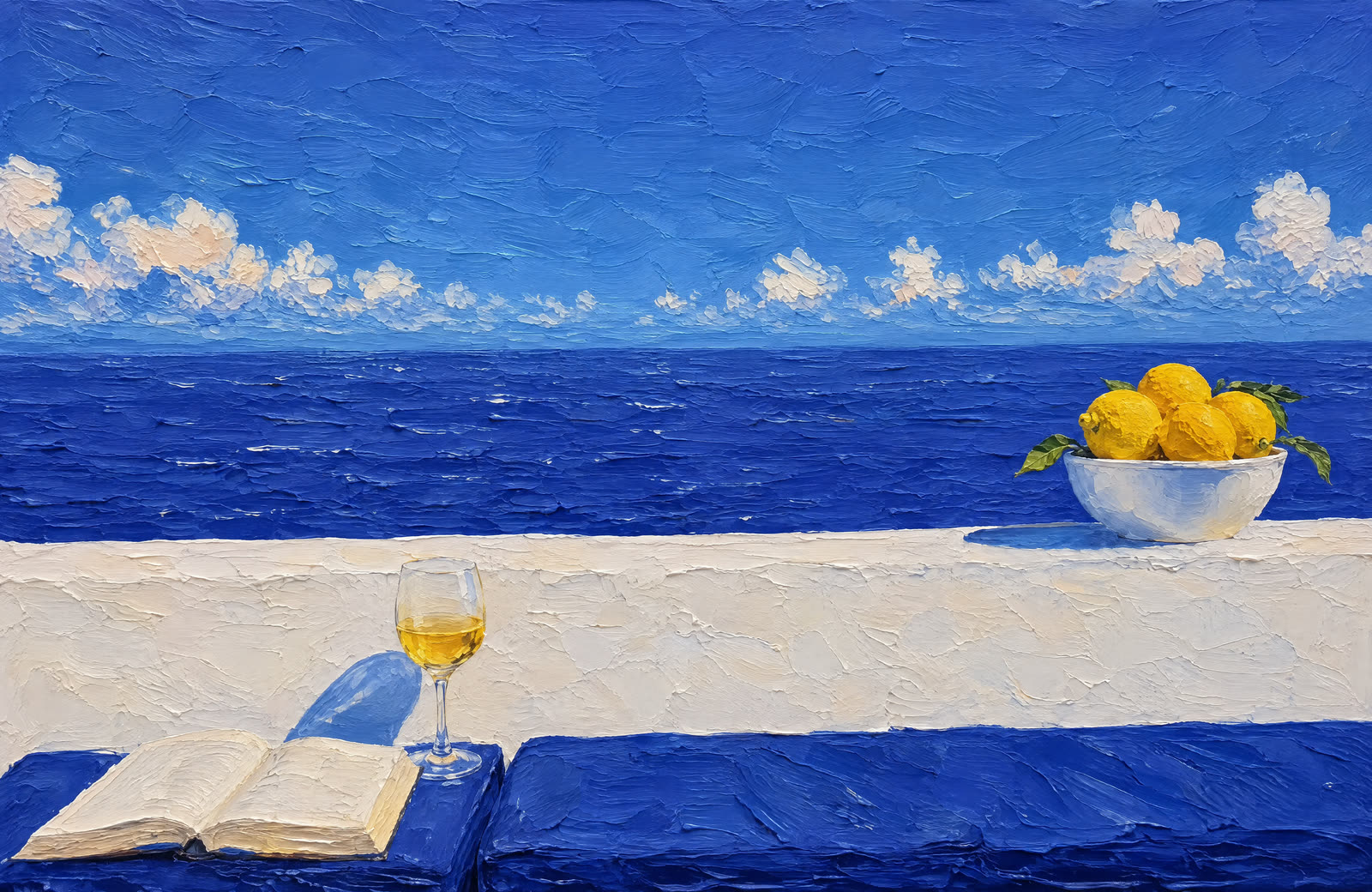
Lemons by the Sea
Lemons by the Sea, one of the paintings.

Needle1.0.7

New

  • Updates in the notch. New versions come to you: one click installs them, and Needle opens again by itself, then shows what's new.
  • Updates in General. Whether you have the newest Needle, a Check button, and automatic checks you can turn off.
  • Check for Updates in the menu bar menu.
  • What's New. After each update, what changed shows in the notch.

Needle1.0.6

New

  • Lyrics, word by word on the lock screen and the desktop, in five styles: Lines, Big Words, Lens, Stars and Terminal.
  • Backgrounds and colours for the lyrics: black, white, the cover or its aura, with the words in the album's colours or your own.
  • Beat Glow Rim: a wave of light that runs around the edge of the screen to the music, on the lock screen too.
  • The screen stays awake while the lyrics play.
Big Words, one of the styles.

Needle1.0.5

New

  • Painted wallpapers. A gallery of more than 90 oil-paint wallpapers, sized for your Mac. New ones appear by themselves.
Evening in KyotoBlue Surf
Evening in Kyoto and Blue Surf, from the gallery.

Needle1.0.4

Fixed

  • Needle could quit when the screen locked.

Needle1.0.3

New

  • Floating island. On a Mac without a notch, or by choice: an oval just under the top edge, like on iPhone. Pick the shape in Island settings.
  • The lock screen works with live wallpapers.

Needle1.0.1

Fixed

  • The code from the email couldn't be pasted.

Needle1.0

New

  • Needle is out. The notch as a record player, the lock screen and the desktop in your music, Beat Glow, keyboard sounds with Michael, Face Unlock (beta) and the listening diary.
The turntable on the desktop.

Needle for Windows1.0.10

Latest

New

  • A code of its own. Needle for Windows now has its own code, sold on the Windows page of needlemac.com. Codes already in use keep working.

Fixed

  • Buy Needle opens the page that sells Needle for Windows.
  • A code for Needle for Mac now says so, instead of saying the code is on too many computers.

Needle for Windows1.0.9

New

  • Smoother lyrics on your desktop. In the Aura style the lines glide like on the Mac, the progress line moves every frame, and the words are sharp.
  • Cleaner colours. A fine grain keeps the aura's soft colours free of bands, and the cover and title stay crisp next to the lyrics.

Fixed

  • Lyrics no longer dim or flash as the next line comes in.
  • A quick double-click on the timer's gear or cross no longer closes the island.
  • The timer's buttons take a click just off their circles.